

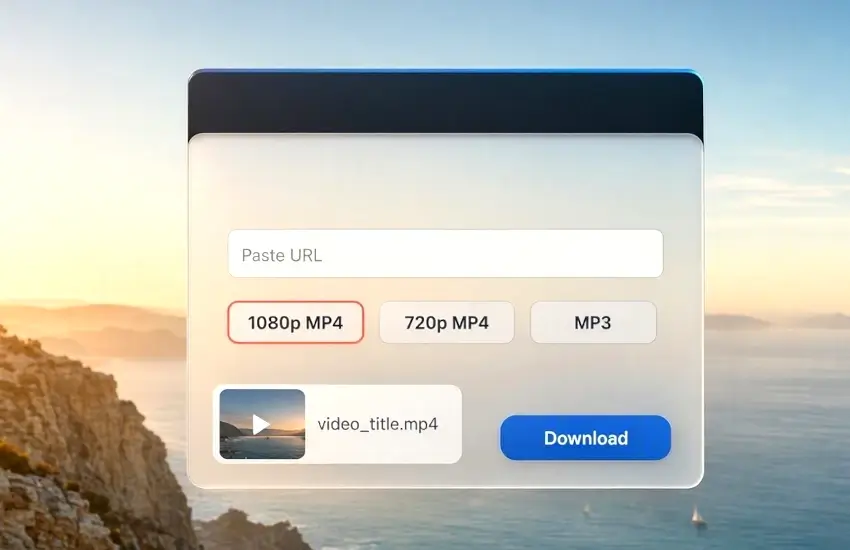
In this useful article I guide you, how to downlaod Youtube Videos, and mp3 to use WebDecky tool, YouTube is one of the largest platforms for watching videos online. From educational tutorials and music videos to documentaries, podcasts, and entertainment, millions of people use YouTube every day. Sometimes, however, you may want to save a video for offline viewing when you do not have a reliable internet connection.
If you are wondering how to download YouTube videos, there are several ways to save videos for legitimate offline use. In this guide, we explain how YouTube downloads work, what to consider before downloading a video, and how to use WebDecky to make the process easier.
What Does Downloading a YouTube Video Mean?
Downloading a YouTube video means saving a copy of the video to your device so that you can watch it later without continuously streaming it from YouTube.
This can be useful when traveling, studying, or working in an area with limited internet access. For example, you might want to save an educational tutorial before traveling or keep a video available for offline reference.
However, it is important to respect copyright and YouTube's terms. You should only download videos when you have permission to do so, when the content is offered for download, or when your intended use is otherwise permitted.
Why Download YouTube Videos for Offline Use?
There are several practical reasons people look for a YouTube video downloader.
Watch Videos Without Internet
One of the biggest advantages is offline access. Once a video has been legitimately saved, you can watch it without using mobile data or depending on an internet connection.
Save Educational Content
Students, developers, designers, and professionals often use YouTube for learning. Tutorials can be useful references when working on a project, especially when internet access is unavailable.
Avoid Buffering
A slow or unstable connection can make streaming frustrating. Having an authorized offline copy can provide a smoother viewing experience.
Access Videos While Traveling
Long journeys often involve unreliable internet connections. Saving permitted content before traveling can make it easier to access useful videos when you are offline.
How to Download YouTube Videos Using WebDecky?
WebDecky provides a collection of online tools designed to make common web tasks easier. If you are looking for a convenient way to work with supported YouTube content, you can use the WebDecky YouTube video downloader.
The general process is straightforward.
Step 1: Find the YouTube Video
First, open YouTube and find the video you want to save for an authorized offline purpose.
Copy the video's URL from your browser's address bar or use YouTube's sharing option to copy the link.
A typical YouTube URL looks similar to:
`https://www.youtube.com/watch?v=VIDEO_ID`
Step 2: Open the WebDecky YouTube Downloader
Go to the YouTube downloader available through WebDecky.
Paste the YouTube video URL into the downloader's input field.
The tool can then process the URL and provide the available options supported by the downloader.
Step 3: Choose an Available Format
Depending on the video and the tool's available options, you may see different formats or quality choices.
For example, some content may be available in different video resolutions or audio formats.
Choose the option that best matches your needs while keeping the original content owner's rights and the applicable platform rules in mind.
Step 4: Start the Download
After selecting the appropriate option, follow the downloader's instructions to start processing the video.
The time required can depend on the video's length, selected quality, server performance, and your internet connection.
Once processing is complete, the file can be saved to your device if the content is available for download.
Is It Legal to Download YouTube Videos?
This is one of the most important questions to understand before using any YouTube downloader.
Not every YouTube video is freely available for downloading or redistribution. Videos may be protected by copyright, and downloading or reusing copyrighted material without permission may violate copyright laws or the platform's terms.
A safer approach is to download content that you created yourself, content that the copyright holder has authorized for downloading, or content that is otherwise legally available for your intended use.
YouTube also provides official features for offline viewing in supported circumstances. If you simply want to watch videos offline, using YouTube's own download functionality can be the best option when it is available to you.
Tips for Using a YouTube Video Downloader
If you regularly work with online videos, a few simple practices can make the process easier.
Check the Video Rights
Before downloading anything, check whether you have permission to save or reuse the content. This is particularly important if you plan to publish, modify, or distribute the downloaded material.
Use the Correct Video URL
Make sure you copy the complete YouTube URL. An incorrect or incomplete URL may prevent a downloader from identifying the video.
Choose Suitable Quality
Higher video quality generally means a larger file. If you are saving a video for a phone or tablet, you may not always need the highest available resolution.
Keep Your Downloads Organized
If you download videos for legitimate projects or offline reference, organize them into folders. Giving files meaningful names can make them much easier to find later.
Avoid Suspicious Download Websites
Be careful when using online download services. Avoid websites that request unnecessary software installations, browser extensions, passwords, or sensitive information.
Why Use WebDecky?
WebDecky is designed as a collection of useful web tools for creators, developers, and everyday internet users.
Along with YouTube-related utilities, WebDecky includes a growing selection of online tools covering areas such as SEO, content creation, image processing, development, and productivity.
Instead of installing a separate application for every small task, online tools can provide a convenient way to complete common jobs directly from a web browser.
For users who frequently work with digital content, having multiple utilities available from one platform can save time and simplify everyday workflows.
Common Questions About YouTube Downloads
Can I download any YouTube video?
No. Whether you can legally download or reuse a video depends on the video's rights, YouTube's applicable terms, and local laws. Always make sure you have the necessary permission. You can also download and convert MP3 from YouTube videos using the WebDecky tool.
Can I download YouTube videos on a phone?
Depending on the available tool and your device, browser-based services can work on many modern smartphones and tablets. Your device and browser may determine how downloaded files are handled.
Does video quality affect file size?
Yes. Higher-resolution videos usually require more storage space. Choose a quality level that provides a good balance between viewing quality and file size.
Can I convert YouTube videos to audio?
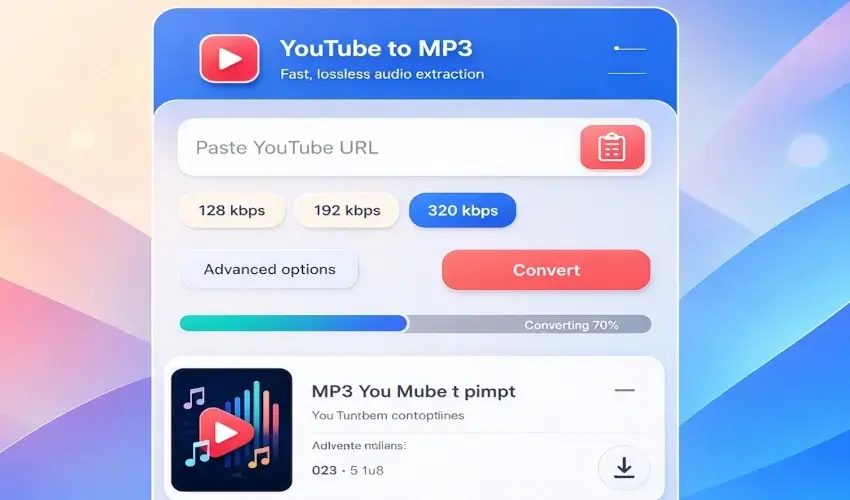
Some tools support audio extraction for content where you have the necessary rights. Always check the content's copyright status and permissions before converting or using the resulting audio.
Conclusion
Learning how to download YouTube videos can be useful when you need legitimate offline access to online content. Whether you are saving your own videos, authorized material, or content that is explicitly available for download, choosing the right tool can make the process more convenient.
WebDecky provides a simple collection of online utilities that can help users work with digital content directly from their browser. Its YouTube-related tools are part of a broader platform that also includes SEO tools, productivity utilities, development resources, and other web-based services.
Before downloading any YouTube video, always consider copyright, permissions, and the applicable terms. When you have the right to download the content, a browser-based tool such as WebDecky can make the workflow simple and convenient.


Comments (0)
No comments yet. Be the first to comment!
Leave a Comment